Connect QuickBooks. Automate follow-ups. Get paid faster.
Sync invoices, customers, and payment status automatically — then let Retenva chase every unpaid invoice while you focus on the business.
Read-only by default · disconnect anytime
WHY QUICKBOOKS + RETENVA
Two systems, one source of truth
Synced automatically
Invoices, customers, and payment status stay in step with QuickBooks — no CSV exports, no double entry.
Real-time, not overnight
New invoices and payments reflect in Retenva within minutes, so reminders never chase something already paid.
Reduce manual follow-up
Retenva picks up the moment an invoice goes overdue — no one on your team has to remember to chase it.
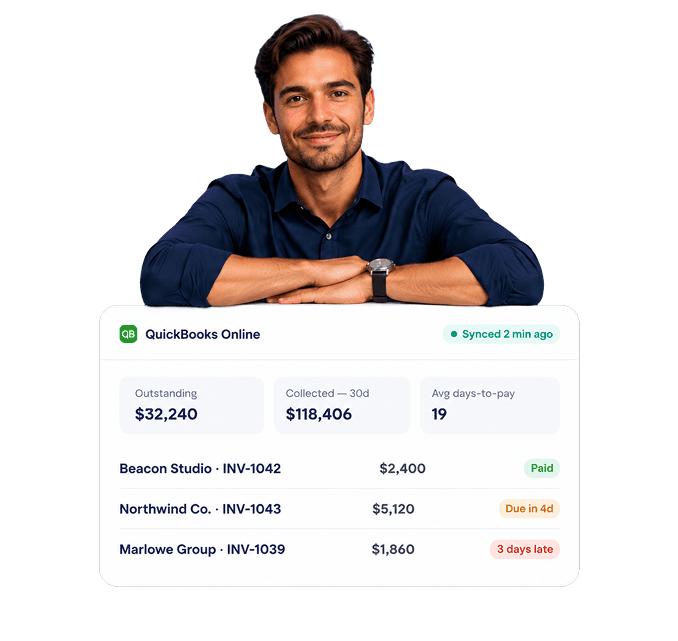
One dashboard for cash flow
See what's outstanding, what's overdue, and what's about to be — without opening QuickBooks at all.
BUILT FOR QUICKBOOKS ONLINE
Everything that matters, mirrored
Connect once and Retenva keeps a live mirror of your receivables so every reminder is working from the same numbers as your books.
Invoices & line items — synced the moment they're created or updated in QuickBooks.
Customers & contacts — no re-entering names, emails, or phone numbers.
Payment status — a payment in QuickBooks stops the reminder in Retenva, automatically.
Aging & history — days-to-pay and dispute notes carry over for full context.
Recent invoices
Live from QuickBooks
| CUSTOMER | INVOICE | AMOUNT | STATUS |
|---|---|---|---|
| Beacon Studio | INV-1042 | $2,400 | Paid |
| Northwind Co. | INV-1043 | $5,120 | Due in 4d |
| Marlowe Group | INV-1039 | $1,860 | Overdue |
| Fenwick & Co | INV-1044 | $3,050 | Due in 9d |
HOW IT WORKS
Live in about fifteen minutes
Connect QuickBooks
Sign in and authorize read access. Nothing changes on the QuickBooks side.
Review the sync
Retenva pulls in open invoices and customers for a first look.
Set your schedule
Choose when reminders send — day 3, day 7, day 14, or your own timing.
Send follow-ups
Retenva emails and texts customers automatically as invoices age.
Get paid
Payments sync back to QuickBooks and reminders stop — no cleanup needed.

Marcus Lee
Onboarding, Retenva
SETUP, WITH A PERSON IF YOU WANT ONE
Five minutes on your own. Faster with help.
Most teams connect QuickBooks and set their first reminder schedule without ever talking to us. If you'd rather have someone walk through it, onboarding is free on every plan.
Authorize the connection
One click through Intuit's official sign-in. Retenva never sees your QuickBooks password.
Confirm what syncs
Pick which customers or invoice types to include, or sync everything.
Turn on reminders
Start with our default schedule or build your own from scratch.
Built on trust and security
Read-only access
Retenva can't edit or delete anything in QuickBooks — only read it.
Encrypted in transit
All data moves over TLS, and is encrypted at rest.
Official Intuit integration
Built on QuickBooks' approved developer platform, not a workaround.
Disconnect anytime
Revoke access in one click from Settings — no calls no waiting.
Connect QuickBooks and start automating today
Fifteen minutes to set up. No credit card required to try it.